
Dynamic Open Graph and Twitter Card Injection
Client-side rendered (CSR) applications fundamentally alter how metadata is delivered to crawlers. Unlike traditional server-rendered pages where <meta> tags are present in the initial HTML payload, SPAs defer tag injection until JavaScript execution completes. This architectural shift creates a critical gap for social platforms that scrape URLs synchronously. Implementing reliable Dynamic Metadata and Structured Data Management requires precise DOM manipulation, router lifecycle synchronization, and measurable validation protocols to ensure consistent social card rendering.
The CSR Metadata Challenge
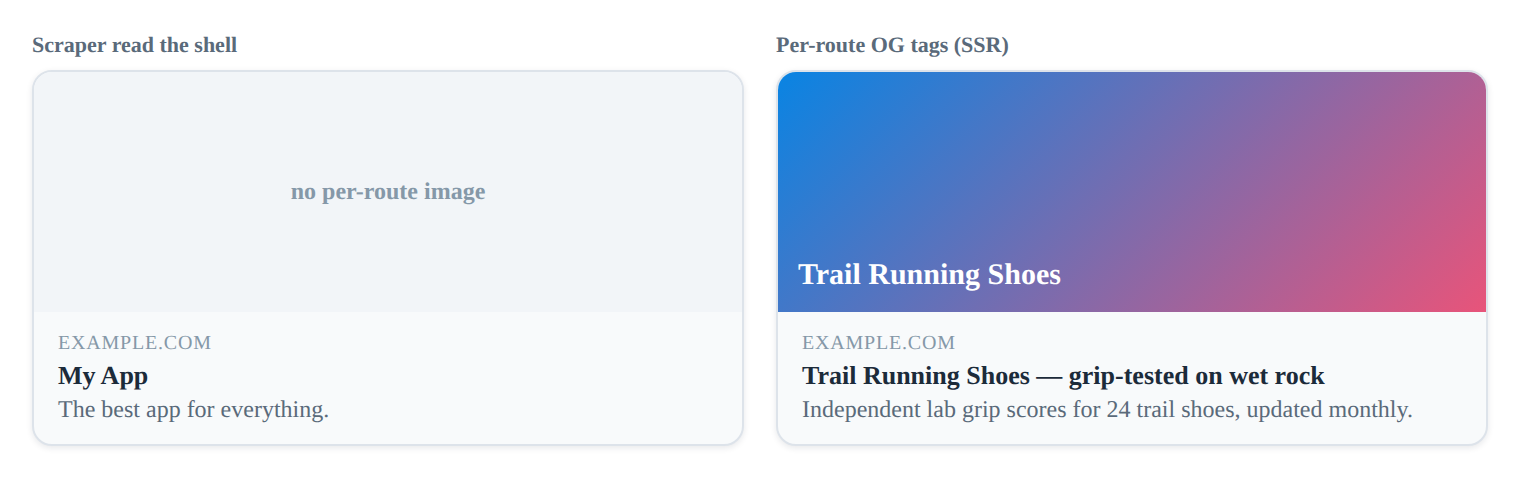
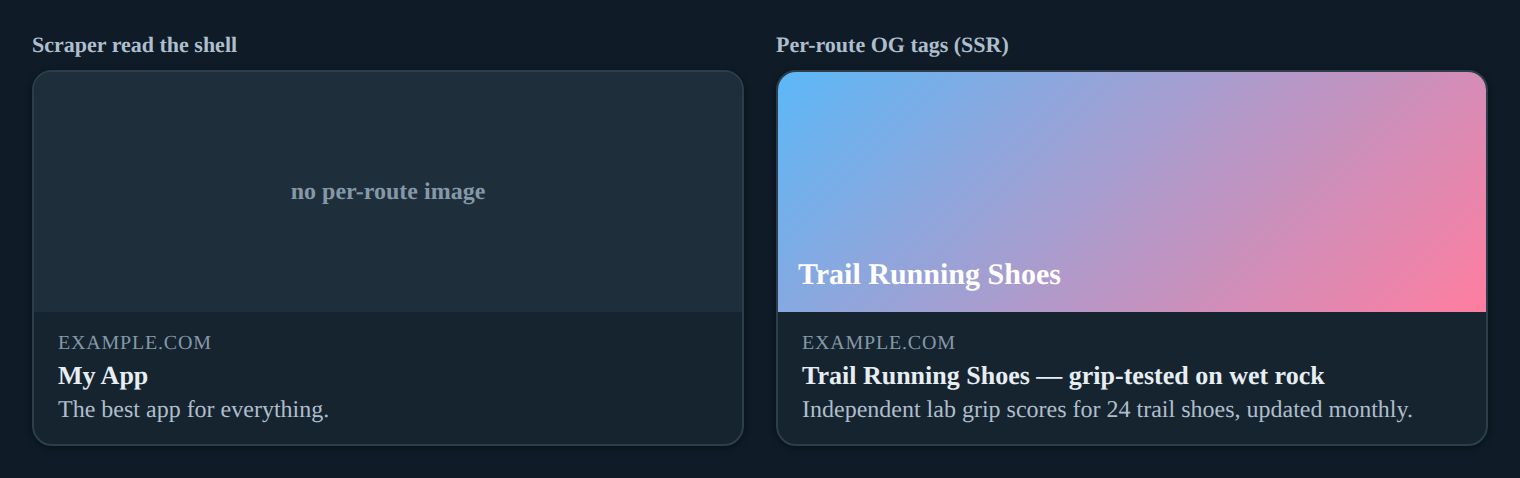
Social crawlers (Facebook, Twitter/X, LinkedIn, Slack) operate under strict execution constraints. Unlike Googlebot, which executes JavaScript with a timeout of several seconds, social bots typically fetch only the raw HTML response. If Open Graph (og:) and Twitter Card (twitter:) tags are absent during the initial HTTP response, the platform will either cache a blank card or fall back to generic page scraping.
The core challenge lies in route transitions versus initial load behavior. When a user navigates client-side, the browser updates the URL and renders new components without a full page reload. Social bots, however, never trigger these transitions; they only evaluate the URL at the moment of the scrape request. Consequently, relying solely on client-side hydration for metadata guarantees inconsistent sharing behavior. Establishing a baseline for dynamic injection requires intercepting router events, synchronizing DOM updates before hydration completes, and implementing fallback strategies for bot user-agents.
Framework-Agnostic DOM Manipulation Strategies
When avoiding third-party head management libraries, direct DOM manipulation provides granular control over meta tag injection. The strategy relies on targeting existing tags, updating their content attributes, and safely removing orphaned tags during route transitions.
/**
 * Updates or creates Open Graph and Twitter meta tags in the document head.
 * @param {Object} meta - Key-value pairs for meta properties (e.g., { 'og:title': 'New Title' })
 */
function updateSocialMeta(meta) {
 const head = document.head;

 // 1. Define required base properties to prevent orphan tags
 const requiredProps = [
 'og:title', 'og:description', 'og:image', 'og:url',
 'twitter:card', 'twitter:title', 'twitter:description', 'twitter:image'
 ];

 // 2. Update or create tags
 Object.entries(meta).forEach(([property, content]) => {
 let tag = head.querySelector(`meta[property="${property}"]`);
 if (!tag) {
 tag = document.createElement('meta');
 tag.setAttribute('property', property);
 head.appendChild(tag);
 }
 tag.setAttribute('content', content);
 });

 // 3. Cleanup stale tags not in the new payload
 requiredProps.forEach(prop => {
 if (!meta[prop]) {
 const staleTag = head.querySelector(`meta[property="${prop}"]`);
 if (staleTag) staleTag.remove();
 }
 });
}
SEO & Rendering Impact: Direct DOM manipulation eliminates library overhead and reduces JavaScript bundle size, improving Time to Interactive (TTI). By explicitly removing stale tags, you prevent duplicate <meta> elements that confuse parsers and trigger validation warnings in social debuggers.
Race Condition Fallback: Implement a MutationObserver to monitor document.head during initial hydration. If tags are missing after DOMContentLoaded, trigger a fallback injection routine. This ensures tags are present before the 500ms–1s window where aggressive crawlers typically terminate requests.
React and Vue Router Implementation Workflows
Framework-specific routing lifecycles provide deterministic hooks for metadata synchronization. In React, useEffect paired with useLocation captures route changes. In Vue, watch on useRoute or beforeRouteEnter guards serve the same purpose.
React Router Implementation
import { useEffect } from 'react';
import { useLocation } from 'react-router-dom';

function useDynamicSocialMeta(routeMeta) {
 const location = useLocation();

 useEffect(() => {
 const meta = routeMeta[location.pathname] || {};

 // Inject OG/Twitter tags
 updateSocialMeta({
 'og:title': meta.title || document.title,
 'og:description': meta.description || '',
 'og:image': meta.image || '/fallback-og.jpg',
 'og:url': window.location.href,
 'twitter:card': 'summary_large_image',
 'twitter:title': meta.title || '',
 'twitter:description': meta.description || '',
 'twitter:image': meta.image || '/fallback-twitter.jpg'
 });

 // Cleanup on unmount/route change
 return () => {
 // Optional: reset to defaults or clear if navigating to non-indexed route
 };
 }, [location.pathname, routeMeta]);
}
Vue Router Implementation
import { watch, onMounted } from 'vue';
import { useRoute } from 'vue-router';

export function useDynamicSocialMeta(routeMeta) {
 const route = useRoute();

 onMounted(() => {
 const meta = routeMeta[route.path] || {};
 updateSocialMeta({
 'og:title': meta.title || document.title,
 'og:image': meta.image || '/fallback-og.jpg',
 'og:url': window.location.href,
 'twitter:card': 'summary_large_image',
 'twitter:image': meta.image || '/fallback-twitter.jpg'
 });
 });

 watch(() => route.path, (newPath) => {
 const meta = routeMeta[newPath] || {};
 updateSocialMeta({
 'og:title': meta.title || document.title,
 'og:image': meta.image || '/fallback-og.jpg',
 'og:url': window.location.href,
 'twitter:card': 'summary_large_image',
 'twitter:image': meta.image || '/fallback-twitter.jpg'
 });
 });
}
SEO & Rendering Impact: Binding meta updates to router transitions ensures tags reflect the current view without full page reloads. The cleanup routine prevents tag duplication, which directly correlates with How to update meta tags on route change in React best practices. By centralizing route metadata in a configuration object, you decouple presentation from SEO logic, enabling predictable hydration and easier A/B testing.
Dynamic Asset Generation and Caching
Static OG images fail to scale for content-heavy SPAs. Programmatic generation via serverless functions or edge workers allows dynamic text overlay, user avatars, and real-time metrics. However, social crawlers cache scraped images aggressively, making cache headers critical.
// Example: Vercel Edge Function / Node.js Response Handler
export default async function handler(req, res) {
 const { title, category } = req.query;

 // Generate image buffer (e.g., using @vercel/og or sharp)
 const imageBuffer = await generateOGImage({ title, category });

 // Set aggressive but safe caching headers
 res.setHeader('Content-Type', 'image/png');
 res.setHeader('Cache-Control', 'public, max-age=3600, stale-while-revalidate=86400');
 res.setHeader('CDN-Cache-Control', 'max-age=86400');

 res.send(imageBuffer);
}
SEO & Rendering Impact: Cache-Control: max-age=3600 ensures social bots receive fresh assets during the first 24 hours of content publication, while stale-while-revalidate prevents bot scrape latency spikes. For implementation details on rendering pipelines, refer to Dynamic OG image generation for blog SPAs. Always provide a 1200x630px fallback image with optimized WebP/PNG formats to guarantee rendering across legacy platforms.
Validation, Debugging, and Hydration Safety
Dynamic injection requires rigorous validation. Social debuggers cache aggressively, and client-side hydration mismatches can silently break metadata delivery. Follow this step-by-step debugging workflow:
- Clear Debugger Cache: Use the Facebook Sharing Debugger and the X Post Inspector (the standalone Twitter Card Validator was retired after the X rebrand;
twitter:cardtags remain the canonical markup). Append?fbrefresh=CAN_BE_ANYTHINGor?v=1to force cache invalidation. - Network Waterfall Analysis: Open Chrome DevTools > Network tab. Filter by
DocandXHR. Verify that<meta>tags appear in the initial HTML response (if using prerendering) or are injected within<500msofDOMContentLoaded. - Hydration Conflict Prevention: Run
document.querySelectorAll('meta[property^="og:"]')in the console. Ensure exactly one tag exists per property. Duplicate tags indicate missing cleanup routines and directly trigger Avoiding Metadata Hydration Pitfalls. - Cross-Reference Structured Data: Validate that OG tags align with JSON-LD payloads. Use the following script to measure injection timing:
// Measurable Validation Script
const validateMetaInjection = () => {
 const start = performance.now();
 const requiredTags = ['og:title', 'og:image', 'twitter:card'];
 const missing = requiredTags.filter(prop => !document.querySelector(`meta[property="${prop}"]`));

 const duration = performance.now() - start;
 console.log(`[SEO Validation] Meta injection check: ${duration.toFixed(2)}ms`);

 if (missing.length > 0) {
 console.warn(`Missing tags: ${missing.join(', ')}`);
 return false;
 }
 console.log('All required OG/Twitter tags present.');
 return true;
};

// Execute after route transition
window.addEventListener('load', () => setTimeout(validateMetaInjection, 100));
SEO & Rendering Impact: Measuring injection timing ensures tags are available before crawler timeouts. Aligning meta injection with JSON-LD Implementation in Single Page Apps guarantees that both social cards and rich snippets parse consistently, preventing schema validation errors that degrade search visibility.
Edge Rendering and Pre-Rendering Fallbacks
To guarantee 100% crawler compatibility, client-side injection must be paired with edge-level fallbacks. Middleware can intercept requests, detect bot user-agents (facebookexternalhit, Twitterbot, LinkedInBot), and serve pre-rendered HTML with injected meta tags.
- Middleware Pattern: Use Vercel Middleware, Cloudflare Workers, or Express
req.headers['user-agent']checks to route bot traffic to a prerendering service. - Prerender.io / Rendertron Integration: Configure these services to cache rendered HTML snapshots. Update cache keys on content publish to prevent stale social cards.
- Architectural Alignment: This hybrid approach bridges the gap between CSR performance and SSR crawler compatibility, ensuring metadata is always present at the network layer regardless of client execution state.
Frequently Asked Questions
Do social crawlers execute JavaScript to read dynamically injected OG tags? Most major crawlers (Facebook, Twitter, LinkedIn) do not execute JavaScript; dynamic injection requires pre-rendering, edge middleware, or specific crawler user-agent detection to guarantee tag visibility.
How do I prevent duplicate meta tags during client-side route transitions? Always remove existing tags before injecting new ones using DOM cleanup routines, or utilize framework-specific head management libraries that enforce single-instance updates.
What is the optimal cache strategy for dynamically generated OG images? Implement short-lived CDN caching (1-24 hours) with stale-while-revalidate headers to balance content freshness with social bot scrape latency.
Can I combine dynamic OG tags with JSON-LD in the same routing lifecycle? Yes, but they require separate DOM injection targets; JSON-LD script tags should be appended after OG meta tags to prevent hydration conflicts and ensure proper parsing order.
In this guide
- Dynamic OG image generation for blog SPAs — produce a unique preview image per route.
- How to update meta tags on route change in React — keep OG tags in sync as routes change.
- Why Open Graph tags don’t update when shared — fix stale or missing share previews.
Related
- Dynamic Rendering & Bot Prerendering — serve scrapers the tags they need.
- JSON-LD Implementation in Single Page Apps — pair OG tags with structured data.
- Avoiding Metadata Hydration Pitfalls — keep tags from being overwritten.